

There’s a gate at the community where we have our family cottage up in Lake Whatcom north of Seattle. It’s a normal gate with a normal keypad, a SECO-LARM ENFORCER SK-B241-PQ, the kind of Bluetooth-enabled keypad you’d find at any property with a long driveway. The keypad itself works fine. The problem is the app you use to set it up and share access with guests. This gate is used by 81 other families and opening it and closing it via an App was a welcome convenience, only the app is garbage.
The app is called SL Access. It hasn’t been updated in five years. It’s ugly. It can’t be scripted or shortcut-ed or automated in any way. To share gate access with a friend or family member, you have need a separate gate code. There are no notifications. It exists because SECO-LARM had to ship something, not because anyone at SECO-LARM cared about it being good.
For a while I just lived with it. The way you live with a pothole on your street that’s clearly never going to get fixed by the city, so you just learn to drift left when you drive over it.
A few weeks ago I fixed the pothole.
The thing nobody was going to fix
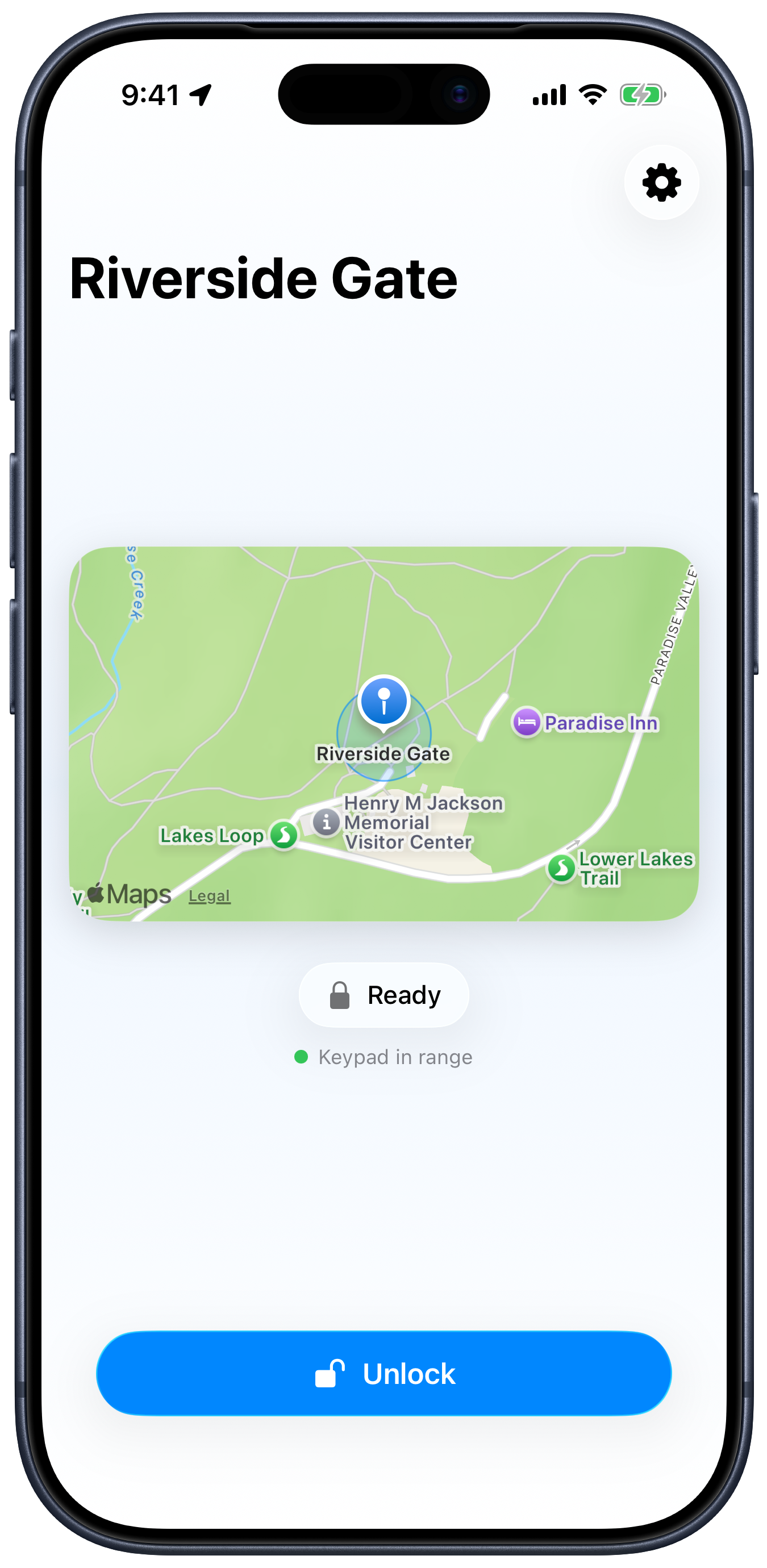
I built a native iOS app called Bouncer (omarknows.app/bouncer) that replaces SL Access completely. It pops the gate. It has a geofence so the gate opens automatically as you drive up the road. It shares access via a single tap from Messages. It looks like a 2026 iOS app instead of a 2020 iOS app.
Here’s the thing I want to talk about: I never opened Xcode. Not once.
That’s the real story. The app is incidental. The app is the proof.
Reverse engineering, on a Saturday
The first problem was figuring out how SL Access actually talks to the keypad. SECO-LARM doesn’t publish a protocol. There’s no SDK. There’s a marketing line on the box that says “AES-128 encryption” and that’s the entire technical documentation you get.
So we sniffed it. Apple ships a tool called PacketLogger as part of the Additional Tools for Xcode download. It records every Bluetooth Low Energy packet your Mac sees. The trick is that on Apple Silicon, you can run iOS apps natively on macOS. So I installed SL Access on my MacBook Pro, ran PacketLogger alongside it, drove up to the gate, and captured two full sessions: one on April 25, one on April 26. Enroll, login, unlock. Two complete conversations between the official app and the keypad.
Then I dropped both hex dumps into Claude Code and asked it to figure out the wire format.
Python first, Swift later
Before I let myself write any Swift, I had Claude build a Python proof of concept using the bleak BLE library. About 200 lines. Scan for the keypad, connect, synthesize a login frame with the current timestamp, send the unlock command.
I drove up to the gate with my laptop and ran the script standing in the driveway. The gate opened.
I cannot adequately describe how good that feels. Watching a Python script on your laptop open a physical gate that the manufacturer assumed was protected by encryption is one of the most empowering feelings in computing. It’s the kind of thing that, one years ago, would have taken very specialized knowledge. I did it on a Saturday afternoon with a Mac, a free Apple tool, and an LLM.
Then the iOS app, in a single Claude Code session
With the protocol understood and the Python POC working, the iOS app was almost a formality. I told Claude what I wanted. Native SwiftUI. iOS 26. Swift 6 strict concurrency. Liquid Glass material. @Observable services. Geofence auto-unlock so the gate pops as you drive up. Local notifications when it works. A custom URL scheme for sharing gate access without admin rights.
Claude built it end to end in one session. The project file is generated by xcodegen from a YAML spec, so there’s no .xcodeproj to wrestle with. The build/install/run loop uses xcrun devicectl from the terminal. Want to install on your phone? devicectl device install app. Want to launch it? devicectl device process launch. The whole development loop is xcodegen && xcodebuild && devicectl, and Claude drives all three.
The geofence is 15 meters. When you cross it, the app starts a BLE scan with a 60-second window (long enough to give you time to walk from your car to the gate if you parked outside) and unlocks automatically when the keypad comes into range. CoreLocation’s CLMonitor does the boundary detection in the background, so the app doesn’t need to be running. You drive up, your phone vibrates, the gate is open.
The sharing feature is a custom URL scheme. The setup link looks like this:
bouncer://setup?name=Riverside%20Gate&lat=46.7867&lng=-121.7359&radius=50
You text that link to a guest. They tap it. Bouncer opens, the gate is pre-configured, geofence is set, they’re done.
The kicker is the App Store stuff
Here’s where I want to be specific, because this is the part that surprised me.
I had Claude set up Fastlane with three lanes. The first generates screenshots in the simulator. The second wraps them with proper device bezels using viticci’s frames-cli. The third lane uploads everything to App Store Connect: screenshots, metadata, copy, keywords, support URLs. Non-interactive. From the terminal.
Then Apple rejected the first build. Guideline 5.1.1(iv), which says you can’t have a “Not now” button on a permission screen that gates required functionality. Claude read the rejection email, restructured the onboarding flow so the permission was clearly optional and the rest of the app worked without it, resubmitted. Approved on the next round.
The entire arc, from “this is a problem” to “approved on the App Store,” involved zero clicks inside Xcode. Every Swift file, every Info.plist setting, every entitlement, every code-signing certificate, every App Store screenshot, every line of marketing copy, every response to App Review: terminal only. Claude Code as the IDE.
What this actually means
For most of the history of software, an app like Bouncer could not exist. The economics didn’t work. The total addressable market for “an iOS app that replaces the bad official app for the SECO-LARM SK-B241-PQ keypad” is, generously, a few thousand people. No funded company is going to spend an engineer-year on that. SL Access exists because SECO-LARM had to ship something. Bouncer was never going to exist, because no business case was ever going to close.
That math is over.
AI-assisted development means the long tail of small annoyances finally has a fix. The pothole on your street that the city won’t pave, you can pave it yourself now. Every ugly old app for hardware you depend on. Every clunky web form. Every shell script you wish existed. Every CLI you’ve always wanted. Every workflow you’ve drifted left around for years because nobody was going to build the workflow for you. You can build it yourself, this weekend, without becoming a Swift expert or a Bluetooth expert or an App Store expert.
That’s the part that’s hard to internalize until you’ve done it once. I genuinely did not know how to write a CoreBluetooth client a month ago. I did not even know the high-level concepts. I had never shipped a single BLE packet from Swift. None of that mattered. Claude knew. I directed. We built.
There is a Bouncer for every pothole in your life. The friction between “this thing is annoying” and “I have fixed this thing” is the lowest it has ever been in the history of computing. If you’ve been waiting for the moment when AI tools cross the threshold from neat demo to I can build the thing I actually want, the moment is here, and it has been here for a while, and you should just go.
You can learn more about Bouncer at omarknows.app/bouncer.
The gate opens when I drive up the road now. The pothole is paved.
It’s an amazing time to be a builder.
It's amazing to see what you can do on a Saturday afternoon. Just amazing. Even more if you think just 5 years ago that would have taken a couple of months at least, from a specialized engineer. We're in wonderful times Omar.
What a great writeup, Omar. You inspired me to tackle my own "digital pothole."
https://www.siolon.com/blog/introducing-quill-a-native-macos-wordpress-app/